RingShot Scorer app icon Free Android app · iOS coming later

Your Target.
Automatically Scored.

Shoot your end, walk up to the target and film it for a few seconds. RingShot Scorer combines the views into a virtual target face with every arrow mapped and scored. No tripod, no paper scorecards, no typing.

Coming soon on Google Play See How It Works

Works with the WA 122 cm face and the 60 cm center face (beta).

Seconds
Per Scoring Session
On-Device
No Account Required
2–4
Archers per Target
Free
No Ads, No Tracking
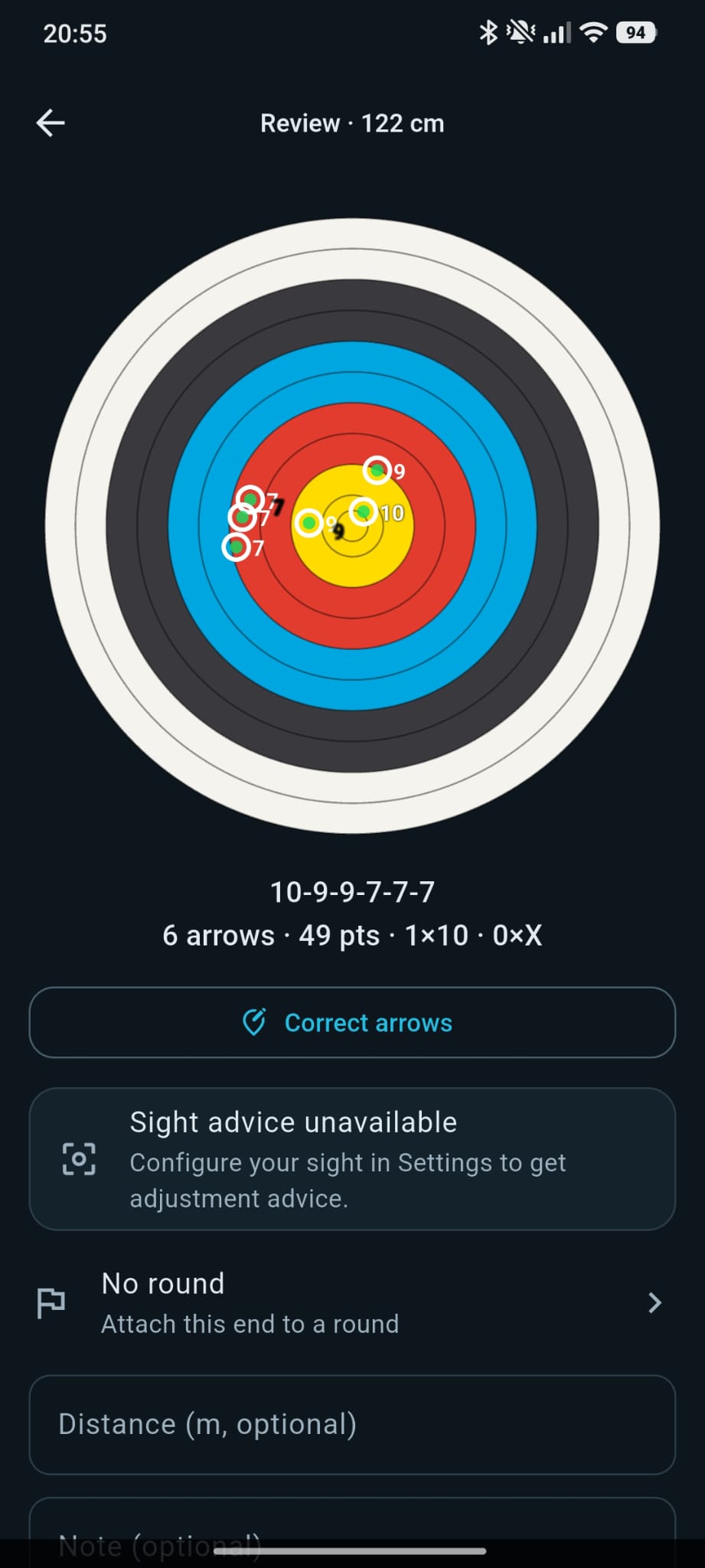
RingShot Scorer review screen showing six detected arrows on a target face

Three Steps to a Scored End

Nothing to set up at the shooting line. Scoring happens at the target, after the end, in a few seconds.

01

Shoot Your End

Shoot as usual. The phone stays in your pocket: nothing records while you shoot, no tripod, no battery drain.

02

Film the Target

At the target, start a session and move the phone across the face for a few seconds. The app combines the views to locate every arrow, including 10s and Xs. Frames are analyzed on your phone and never stored.

03

Review & Correct

Every arrow is mapped onto a virtual target face. Move a marker if a shaft was hidden, add distance and notes, and attach the end to a round.

More Than a Scorecard

Because every arrow is stored as a position on the face, not just a number, the app can tell you things a paper card never could.

Multi-View Arrow Detection

A few seconds of video from different angles are enough. The app combines the views, maps each arrow onto a virtual face and scores it by ring, with 10s and Xs counted separately.

Group Analysis

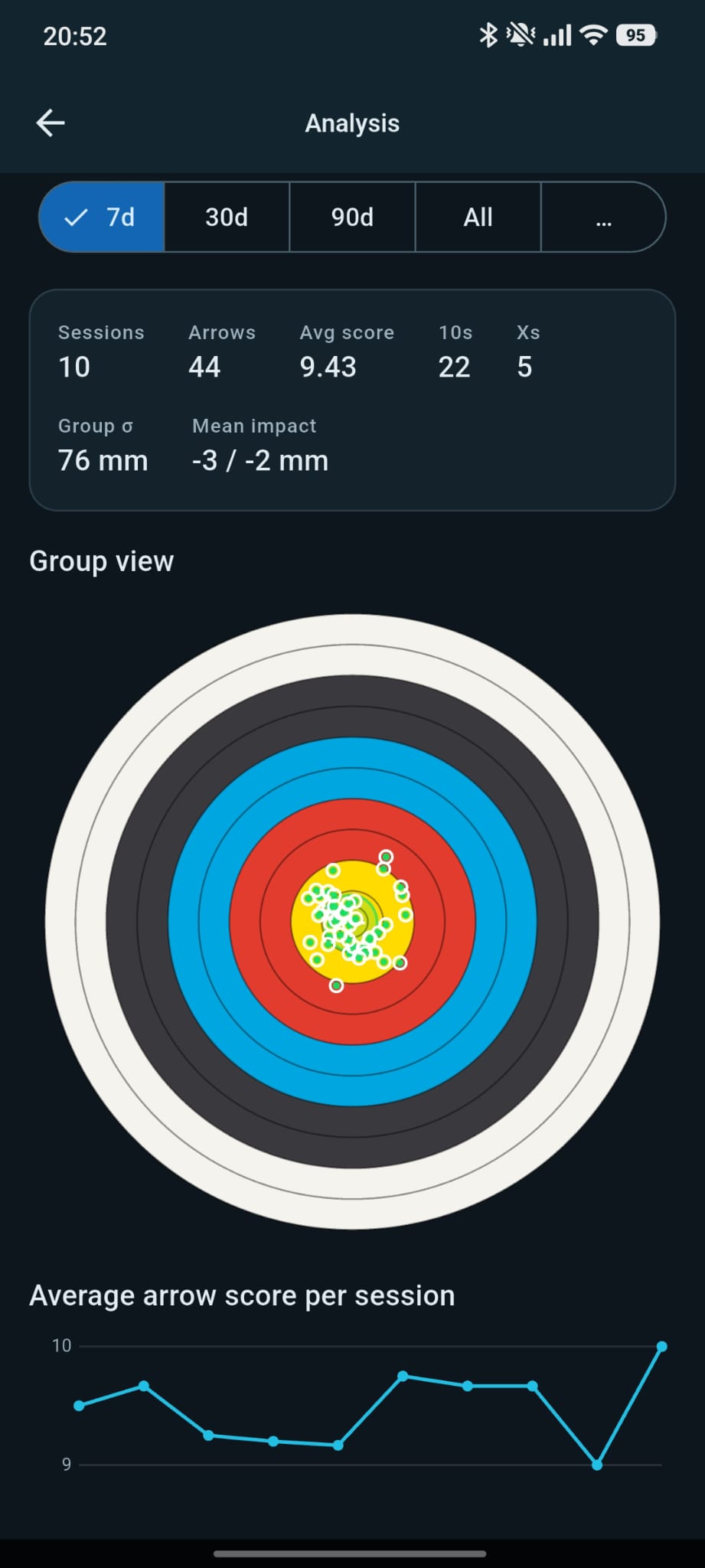
Mean point of impact, group size and score trends over 7, 30 or 90 days. See all arrows of a period on one face.

Per-Arrow Statistics

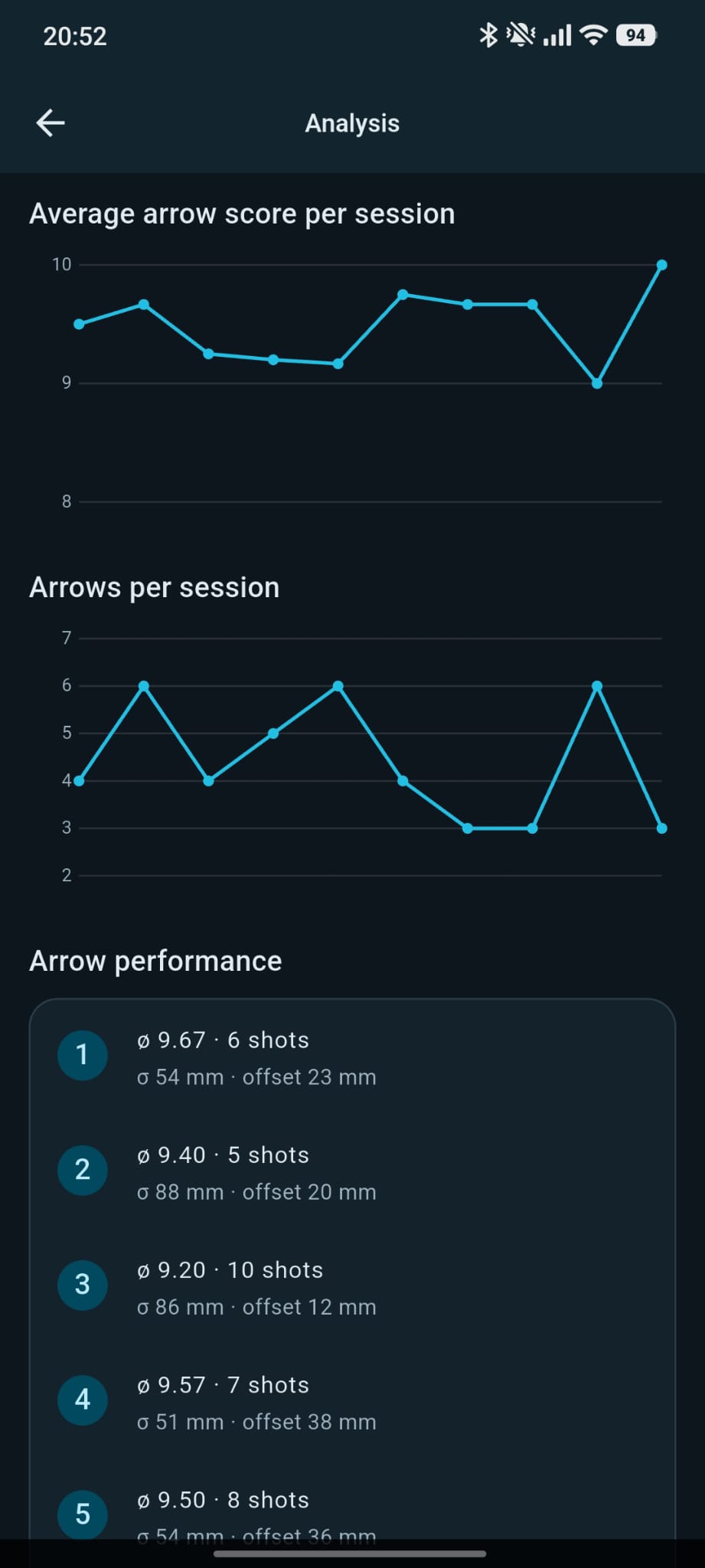
Number your arrows and the app tracks average score, spread and offset for each one. Find the bad arrow in your set.

History & Rounds

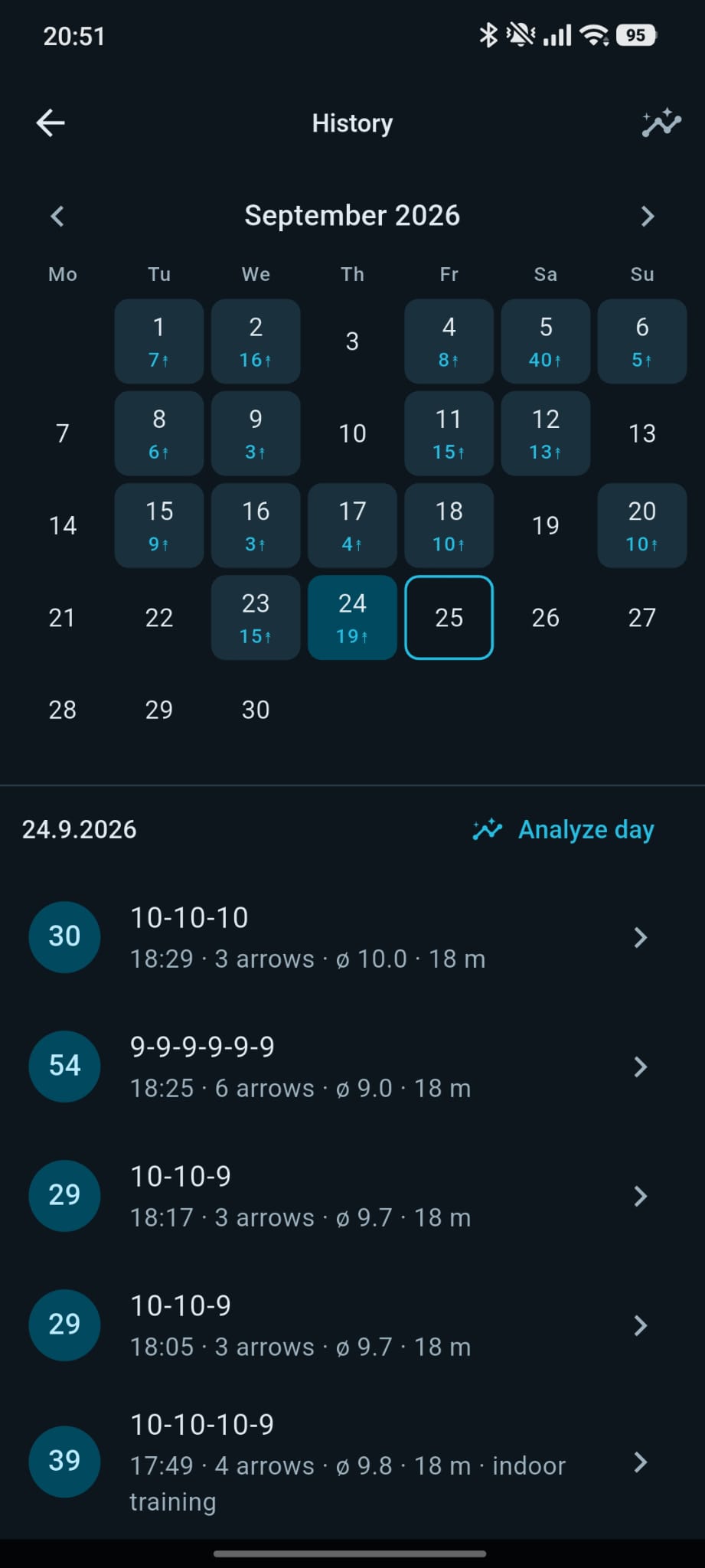
A calendar of every training day with arrow counts and averages. Group ends into rounds and analyze a whole day at once.

Competition Mode

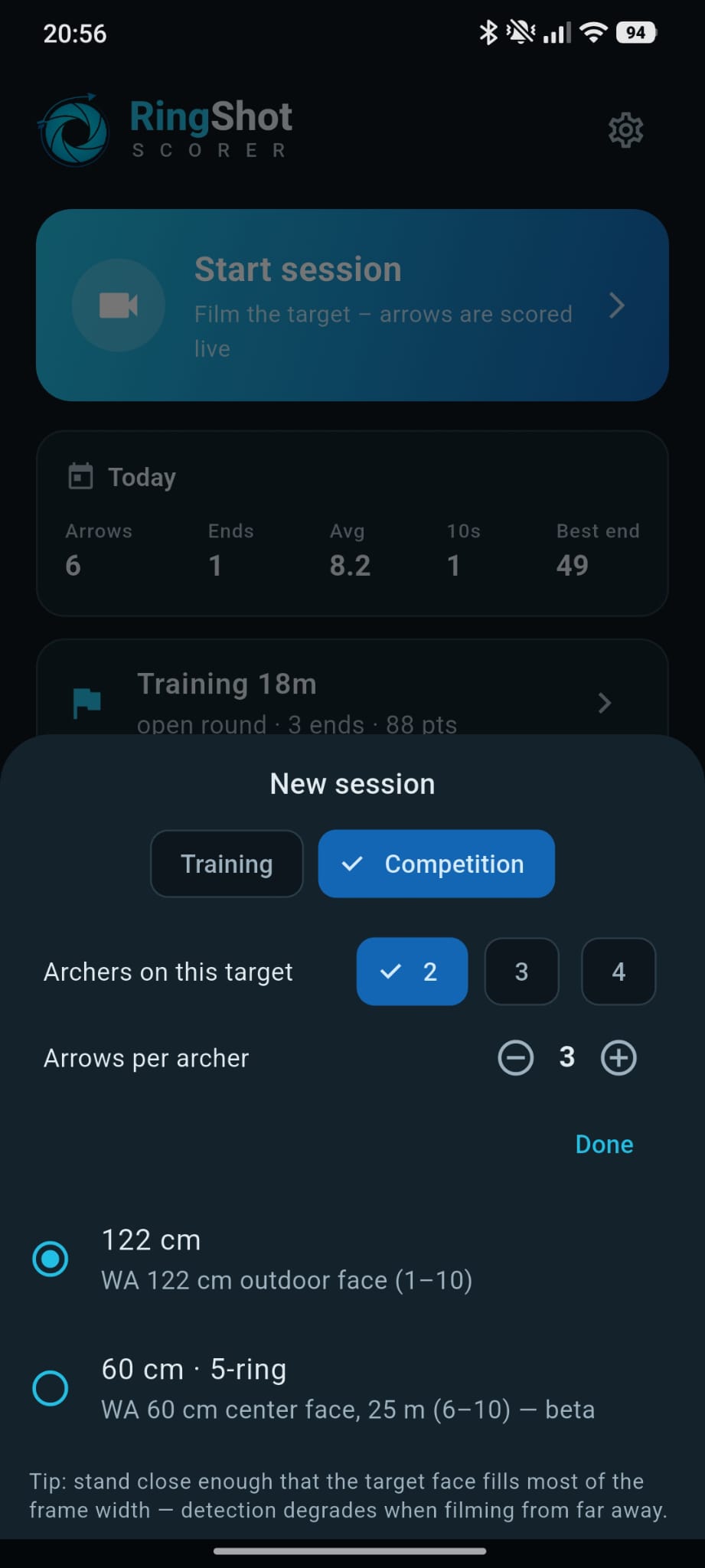
Two to four archers on one target. Set arrows per archer, then claim your arrows after each end.

Sight Advice

Configure your sight once and the app suggests adjustments from where your group actually lands.

A Look Inside the App

Dark interface built for the shooting line. Scroll sideways to see all screens.

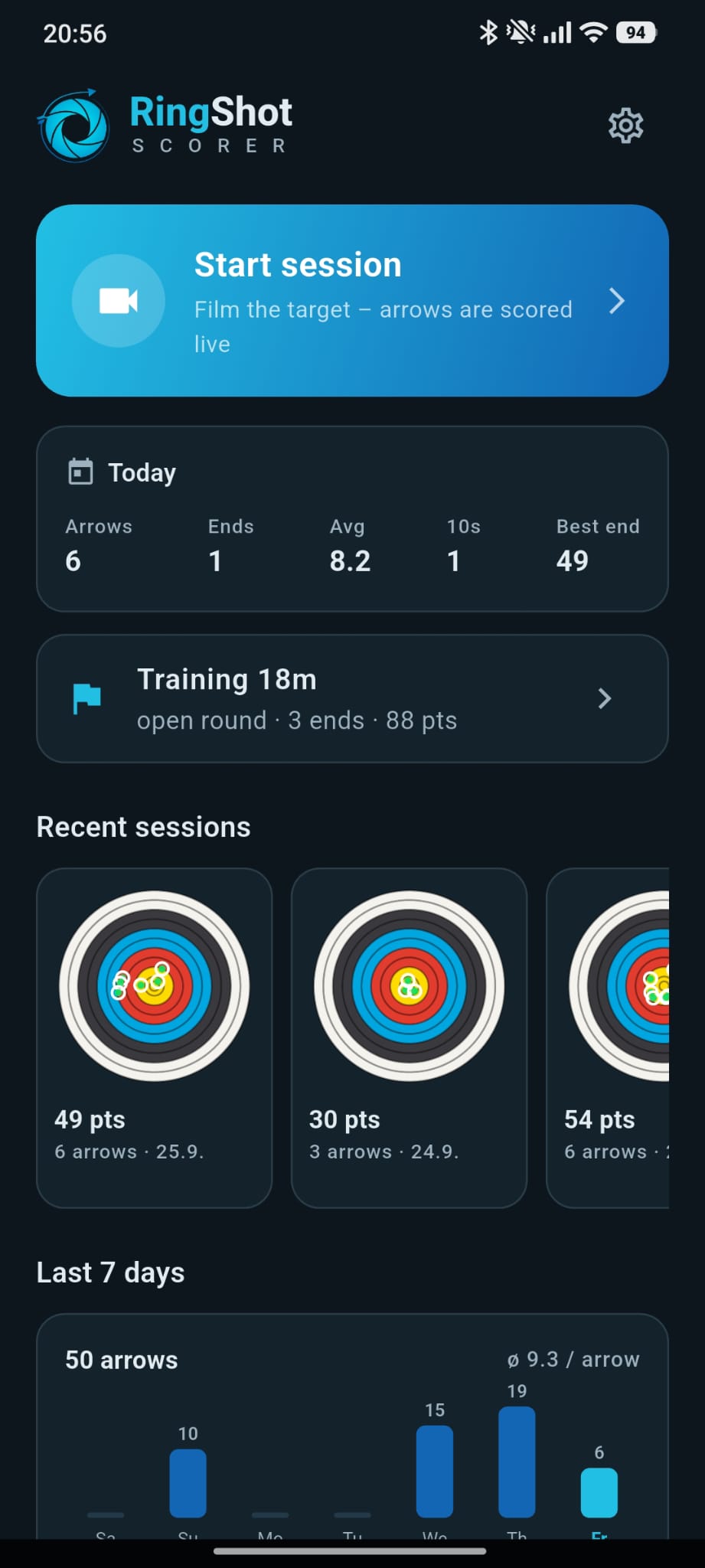
Your training at a glance — Today, recent ends, last 7 days
Your training at a glance
Today, recent ends, last 7 days
Every arrow scored — Detected on the face, corrected by hand if needed
Every arrow scored
Detected on the face, corrected by hand if needed
Know your group — Mean point, group size, trends
Know your group
Mean point, group size, trends
Every arrow, every day — Calendar history and rounds
Every arrow, every day
Calendar history and rounds
Find the bad arrow — Per-arrow statistics
Find the bad arrow
Per-arrow statistics
Competition mode — Several archers on one target
Competition mode
Several archers on one target

Your Data Stays
on Your Phone

The camera image is analyzed on your device and discarded right after processing. Nothing is uploaded unless you turn on sync, and no account is required.

Read the Privacy Policy
  • No photos or videos are stored or transmitted. Frames are processed and dropped.
  • No ads, no analytics, no tracking. No personal information is collected.
  • Sessions live locally. Delete them in the app or uninstall to remove everything.
  • Optional sync only if you sign in with Google. Delete your account and all cloud data from within the app at any time.

Get RingShot Scorer

Free for Android. iOS support is planned for a later release.

Coming soon on Google Play iOS — coming later

Questions or feedback? Write to support@archery.systems